Azure Cloud Account Setup: Choose a Path
Connect Azure to Spotto by choosing the setup path that matches how your team manages Azure access. Every path that creates a Spotto service principal ends with the same read-only permissions.
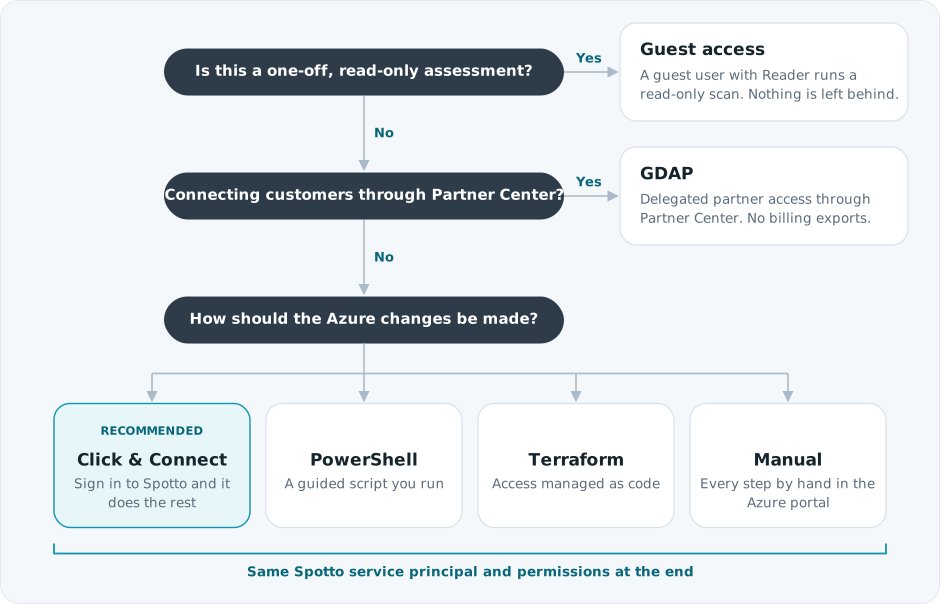
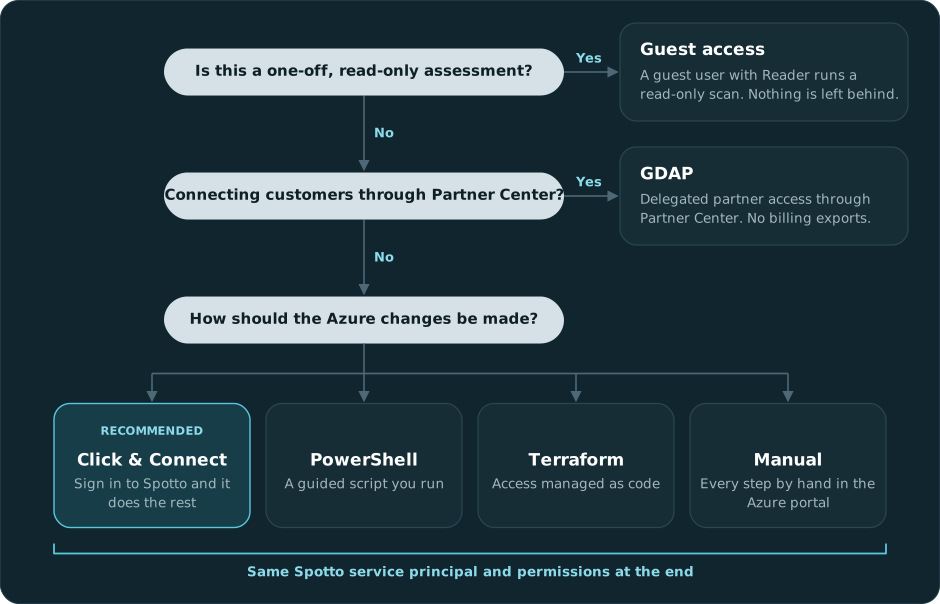
Choose Your Setup Path
| Path | Best for | Who makes the Azure changes |
|---|---|---|
| Click & Connect (Automatic Azure Connect) | Most teams. Recommended. | Spotto, after an admin signs in with Microsoft |
| PowerShell Script | Admins who prefer a guided script they run locally. Get the script. | The script, as the signed-in admin |
| Terraform Module | Teams that manage Azure access as code. Get the module. | Terraform |
| Manual Azure Portal Setup | Organizations where every change is made by hand | You, step by step |
| Azure Guest Assessment Access | A one-off, read-only assessment | The customer invites a guest with Reader. No service principal. |
| GDAP | MSPs and CSP partners connecting customer tenants through Partner Center | Partner Center relationship and delegated access |
If you are using GDAP, read How Azure Access Actually Works first. GDAP roles, Azure access and CSP billing visibility are three separate grants, and the roles on a relationship can't be changed after the customer approves it.
What Permissions Do I Need?
Two questions, two pages:
- What does Spotto need? Only Reader on your subscriptions is required. Extra read roles, Entra ID read and optional write-back each unlock more features. See Permissions Spotto Needs for the access matrix and what you lose if you skip something.
- What do I need to run setup? Temporary admin roles, such as Global Administrator and Owner, ideally through PIM. See Permissions To Run Setup.
The automated paths grant the same read permissions by default. They differ in two places:
- Billing exports. Click & Connect and Terraform leave them off until you opt in, because they create a storage account in your tenant. The PowerShell script asks and defaults to yes. See Azure Billing Exports.
- Write-back. Off in every path until you turn it on.
Video Walkthroughs
Connect With Click & Connect
Scan With Guest Access
Manual Setup Warning
Manual setup is the easiest place to miss a step. If you use the Manual Azure Portal Setup, grant the complete Microsoft Graph permission set and set up billing exports for the subscriptions you want analyzed. Without readable exports, Spotto relies on Azure billing APIs and may have gaps in cost history even when the connection validates.
For M365 Licenses, the recommended Graph defaults include LicenseAssignment.Read.All, Organization.Read.All, User.Read.All, Reports.Read.All and AuditLog.Read.All. Grant them as Application permissions with tenant admin consent; delegated permissions or Azure Reader alone do not provide these service-principal reads. Follow the manual guide's consent checks for an existing application too.
Common Follow-Up Links
- Add Or Update The Azure Account In Spotto
- Azure Billing Export Setup And Fallbacks
- Missing Permission Warnings
- CSP Billing Prerequisites
- Partner Access And Consent
- Troubleshooting
Add Or Update The Azure Account In Spotto
If your setup path gives you a tenant ID, client ID, and client secret, enter them in Spotto from Connectors -> Cloud Accounts. Full steps are in Add Or Update The Azure Account In Spotto.
Missing Permission Warnings
If Spotto shows Permission required in sync diagnostics, use the permission warning reference.
Configure Cost Management Exports To Storage
Manual billing export steps are now documented in Manual Azure Portal Setup.
Billing Prerequisites For CSP / Azure Plan Subscriptions
CSP billing visibility requirements are documented in CSP Billing Prerequisites.